Fence Estimating App for US and Canadian Fence Contractors
A fence estimating app should let an estimator price the job while the details are fresh: in the truck, at the kitchen table, or back at the office without rebuilding the sketch. The app needs to work for fence geometry, not just generic line items.
FenceTracer gives US and Canadian fence contractors a touch-friendly estimating workflow: draw the layout, choose fence styles, generate the material takeoff, apply USD/CAD pricing and tax-ready defaults, send the quote PDF, and push the accepted job to the crew.
Tablet
Touch-first drawing30s
Sketch to quoteUSD/CAD
Customer totalsWorker app
Crew handoff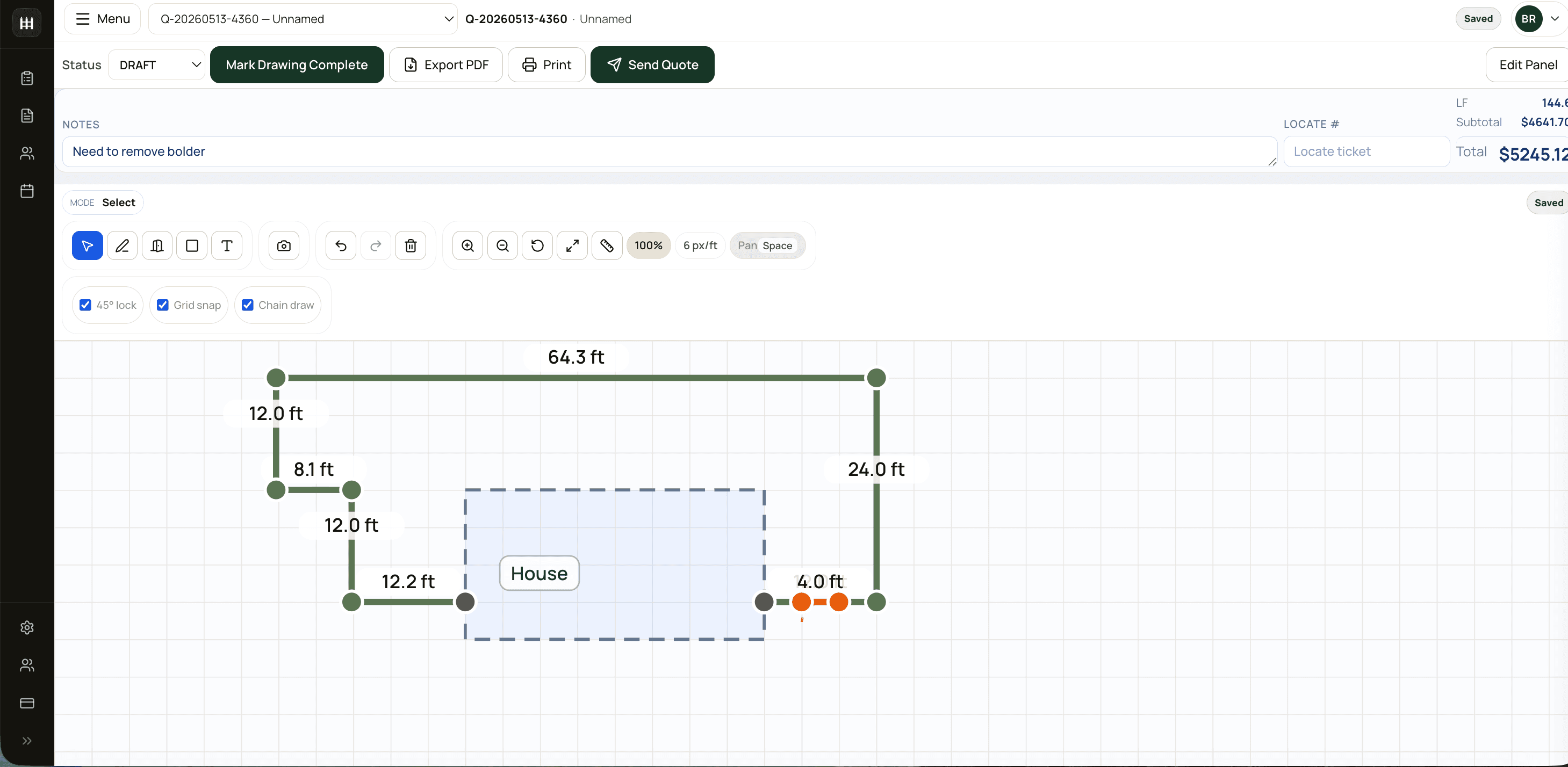
What a contractor fence estimating app should do
Homeowner fence calculators are built for rough ballparks. Fence contractors need a working estimate:
- Draw multi-segment layouts with gates, obstacles, slopes, and mixed fence styles.
- Convert the drawing into linear feet, posts, gates, material slots, and labour.
- Price from the company's supplier catalogue and margin rules.
- Apply US sales tax or Canadian tax defaults from the install location.
- Generate a quote PDF the customer can approve.
- Preserve the drawing and material list for the install crew.
If an app only gives a rough price per foot, it may be useful for lead capture, but it is not enough to run a fence company.
Field quoting without spreadsheet cleanup
The best moment to build the quote is often the moment the estimator is already looking at the yard. FenceTracer makes that possible without creating office cleanup later. The same drawing used during the site visit drives the quote, the customer PDF, the material list, and the worker app.
For US and Canadian shops, the estimating app also needs to handle regional details: USD or CAD totals, ZIP-backed US sales tax checks or manual overrides, Canadian HST/GST/QST/PST defaults, and locate-ready install scheduling after the quote is accepted.
FenceTracer vs a calculator app
| Feature | FenceTracer | Basic fence calculator app |
|---|---|---|
| Drawing-driven takeoff | Yes — layout is the estimate | Often rough length inputs only |
| Supplier catalogue | Company pricebook with slot mapping | Static or generic pricing |
| Tax setup | US sales tax + Canadian tax defaults | Usually manual or missing |
| Quote PDF | Branded PDF and approval link | Estimate total or export only |
| Crew workflow | Worker app and scheduling handoff | Not included |
Who this is for
- Fence contractors who quote on-site from a tablet or laptop.
- Estimators who need a real quote, not a homeowner ballpark.
- US and Canadian fence companies replacing paper sketches and Excel.
- Owners who want every estimator using the same catalogue, tax, and margin rules.
FenceTracer
Quote fence jobs from the field
Draw the layout, price in USD or CAD, handle tax before send, and hand the accepted job to your crew without rebuilding it. 30-day trial, no credit card, starter pricing included.FAQ
Frequently asked questions
Is FenceTracer a mobile fence estimating app?
FenceTracer is a responsive web app for estimating on tablets, laptops, and desktops, paired with an iOS and Android worker app for installer crews.
Can I use it at a customer's house?
Yes. The drawing tool is touch-first, so estimators can sketch the layout, price the job, and send the quote while still on-site.
How is this different from a fence calculator app?
A calculator app usually estimates a rough price. FenceTracer creates the working job record: measured drawing, material takeoff, USD/CAD quote, tax-ready PDF, scheduling, and crew handoff.
Does it work for US and Canadian contractors?
Yes. US workspaces quote in USD and can use ZIP-backed sales tax checks or manual tax overrides. Canadian workspaces quote in CAD and use province-aware tax defaults.
Related reading
- Fence estimating software — full software overview
- Fence takeoff software — material lists from drawings
- Fence quote software — quote PDFs and customer approval
- Fence company management software — scheduling and crew operations