Quote from the driveway
Draw the fence on your phone or iPad. The takeoff, your prices, and local tax build the quote before you drive away.
Build it at the kitchen table tonight and you may be the second quote they open.
Draw it on your phone or iPad. FenceTracer counts the posts, rails, and gates, prices them with your rates, and sends a quote your customer can approve in their browser. Then it runs the install, the crew, and the hours.
30 days free · No credit card · Then $45 USD/month solo, or $129 USD/month with every user included
Real footage of the drawing tool, sped up.
Replaces
The edge
Homeowners compare quotes, and they judge your company by the one you send. FenceTracer gets yours out from the driveway, looking like a real company, then keeps the whole team on the same page.
The usual way
With FenceTracer
Draw the fence on your phone or iPad. The takeoff, your prices, and local tax build the quote before you drive away.
Build it at the kitchen table tonight and you may be the second quote they open.
A branded PDF with an approval link. Customers approve in their browser: no printing, scanning, or chasing signatures.
They judge your company by the quote before they ever meet your crew.
Installers open the app to today's stops in order, with the drawing, material list, address, and customer number.
Every “what's the address again?” is time the truck isn't installing.
The office, the calendar, and the crew all work from the same job, so nothing is typed twice and nobody works from an old version.
A missed locate or a double-booked crew costs a day, and the customer notices.
30 days free · No credit card
A word from our users
“The estimating tools are fast, accurate, and incredibly easy to use, allowing us to create professional quotes right on-site. The crew scheduling and job tracking keep everyone organized…”
How it works
Every step works from the same record, so nothing is typed twice and nobody works from an old version.
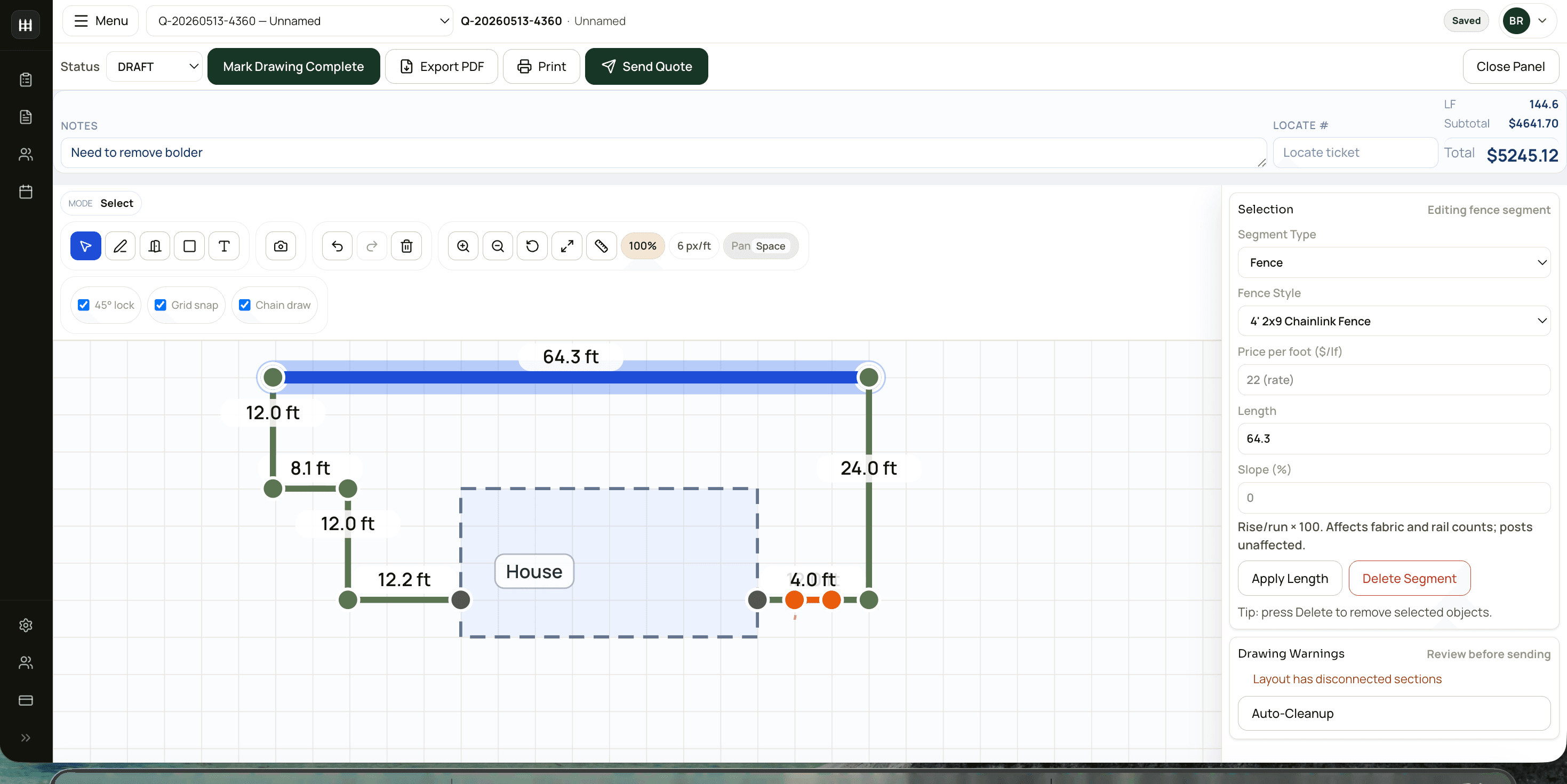
01Sell
Draw the fence on your phone or iPad. The takeoff, your prices, and local tax turn it into a quote the customer can approve in their browser.
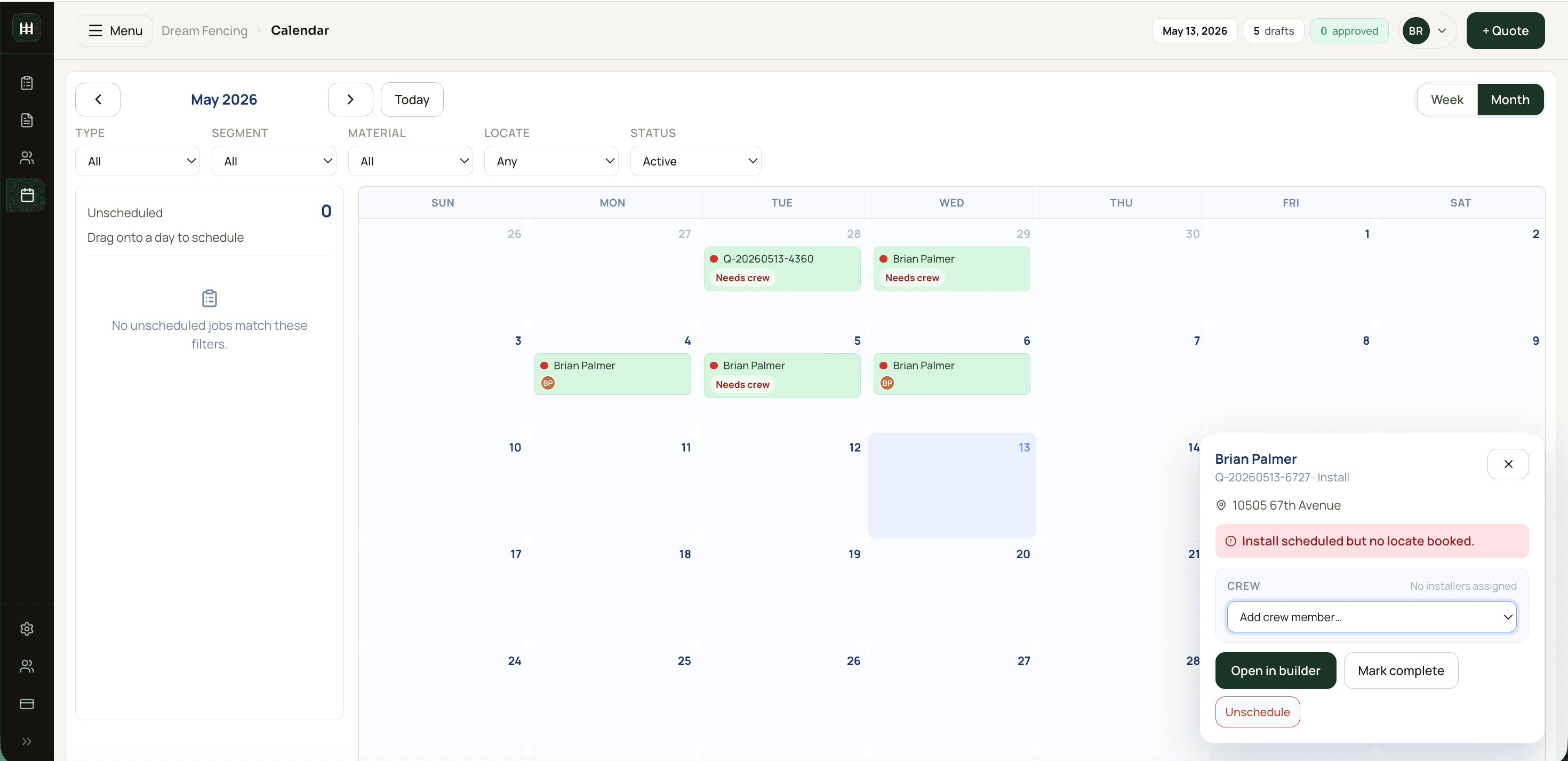
02Schedule
Drag the job onto a day, assign the crew, and see what still needs a locate or more hands before the truck rolls.
03Install
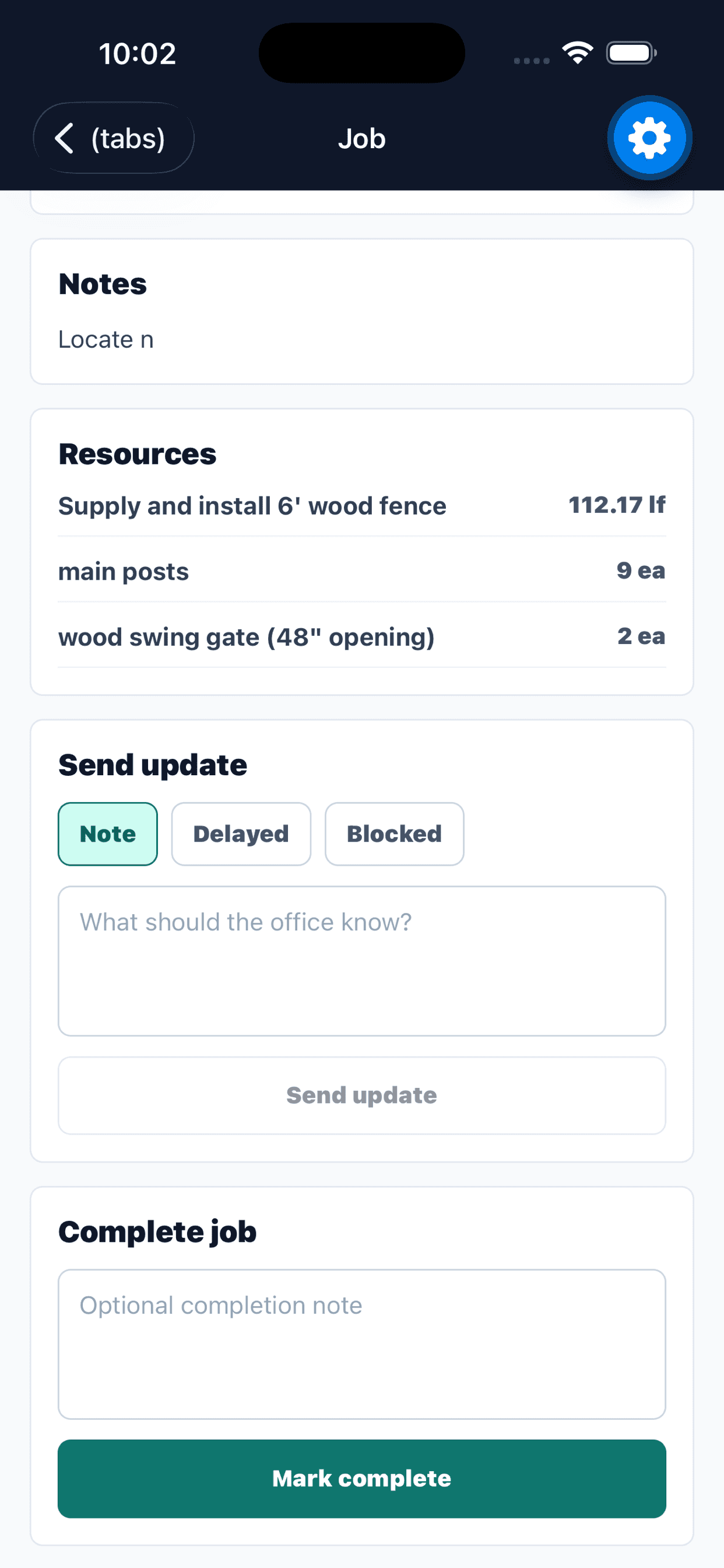
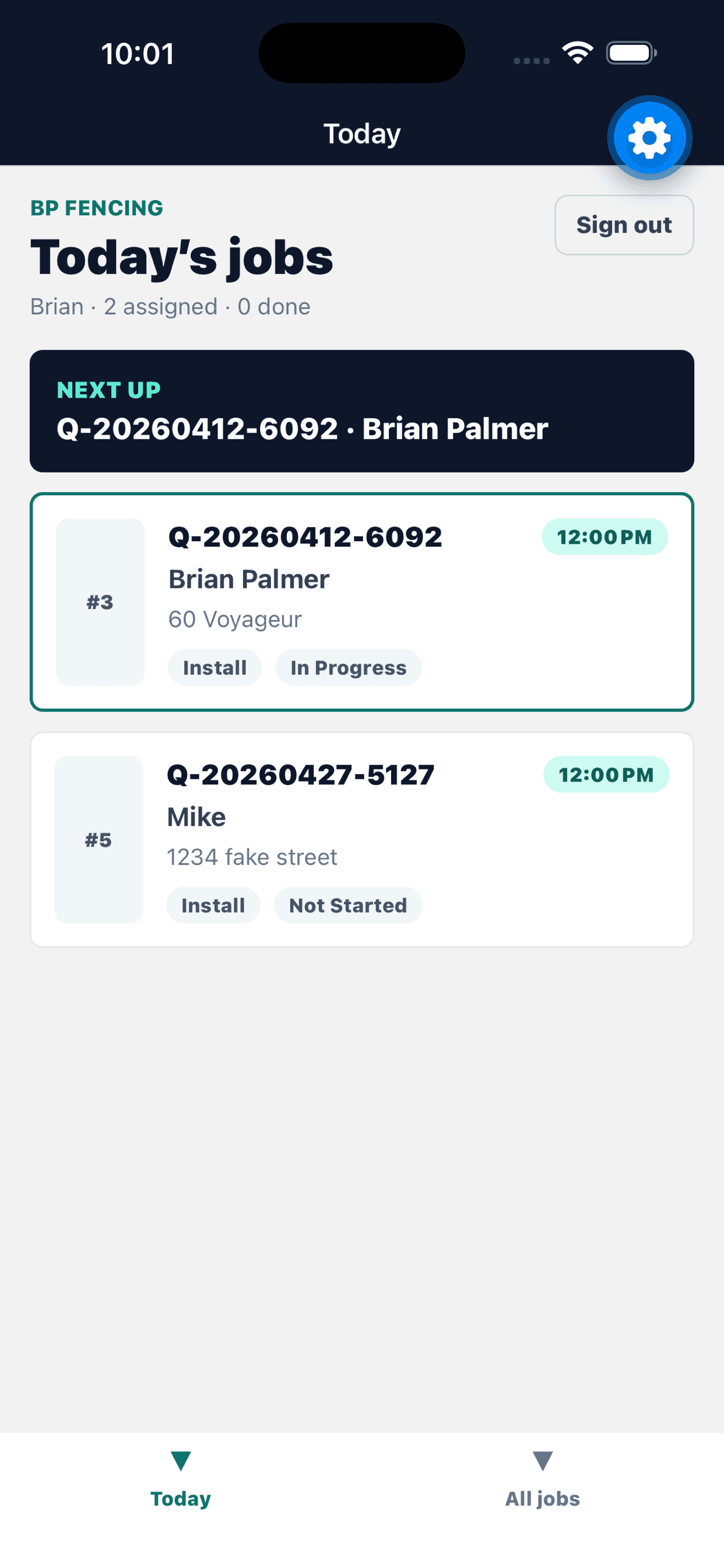
Installers see today's stops in order, with the drawing, material list, address, and customer number. They clock in on a truck and the office sees them live.
04Close out
Clock-ins roll up into a weekly hours sheet with missed clock-outs flagged. Morning truck checks catch problems before they cost a day.
The real product
Real screens from a FenceTracer demo workspace, exactly as your team would use them.
Why switch
A general field-service app quotes from line items you type in. FenceTracer quotes from the fence you draw, then carries that same drawing to the crew.
| Feature | FenceTracer | General field-service app | Spreadsheet and group texts |
|---|---|---|---|
| Material takeoff | Posts, rails, panels, and gates counted from your drawing | Line items you type in yourself | Counted by hand |
| Your prices | Your supplier catalogue, with margins per category | General line-item pricing | Copied off the price sheet |
| Canadian and US tax | HST, GST, PST, or sales tax from the install address | Set up per quote or configured by hand | Worked out by hand |
| Crew handoff | Worker app with the drawing and material list | A general field app, no fence scope view | Group texts and paper |
| Team pricing | Company plan is one flat price, every user included | Priced by team size | Free, but nothing connects |
| Payments and marketing | Deposits and balances, kept simple | Deeper: card, ACH, automations, and a marketing suite | Not covered |
If deep payments and marketing automation matter most, a general app does more there. The general-app column was checked against Jobber's public features and pricing in August 2026. FenceTracer vs Jobber · All comparisons
30 days free · No credit card · Every user included
Setup, done with you
Moving a whole company onto new software is the hard part, so we do it with you, at no extra cost.
Send us your price sheet or supplier catalogue and we set up your fence styles and rates.
Vehicles, checklists, and crew accounts, ready before your first install.
We walk your installers through clock-in and their first job.
Pricing
Solo runs the quoting office for a one-truck shop. Company runs the whole operation — every user, the crew app, the fleet. The first 30 days are free on both, and annual billing takes 3 months off either one.
Prices in US dollars, billed in USD.
Solo · 2 seats
$45USD / month
Draw, price, and send quotes. For the owner who still writes every bid. No crew app, no fleet.
Company · unlimited users · best for crews
$129USD / month
For your whole company. Month to month, or $1,161 USD/year — 3 months free. Cancel anytime.
Founding member: $75 USD/month locked for life — first 25 companies.
Start 30-day free trial30 days free · No credit card
Included
No. FenceTracer is built for shops of any size. The Solo plan covers an owner-operator's quoting for $59 CAD / $45 USD per month, and the Company plan keeps sales and installs on the same record for $180 CAD / $129 USD per month with every user included.
Start free for 30 days with no credit card, or let us set it up with you.