Browser-based estimating for iPad, tablet, and laptop
Open the estimating workspace in Safari or any modern browser — no App Store dependency for the estimator, and no local project files to sync.
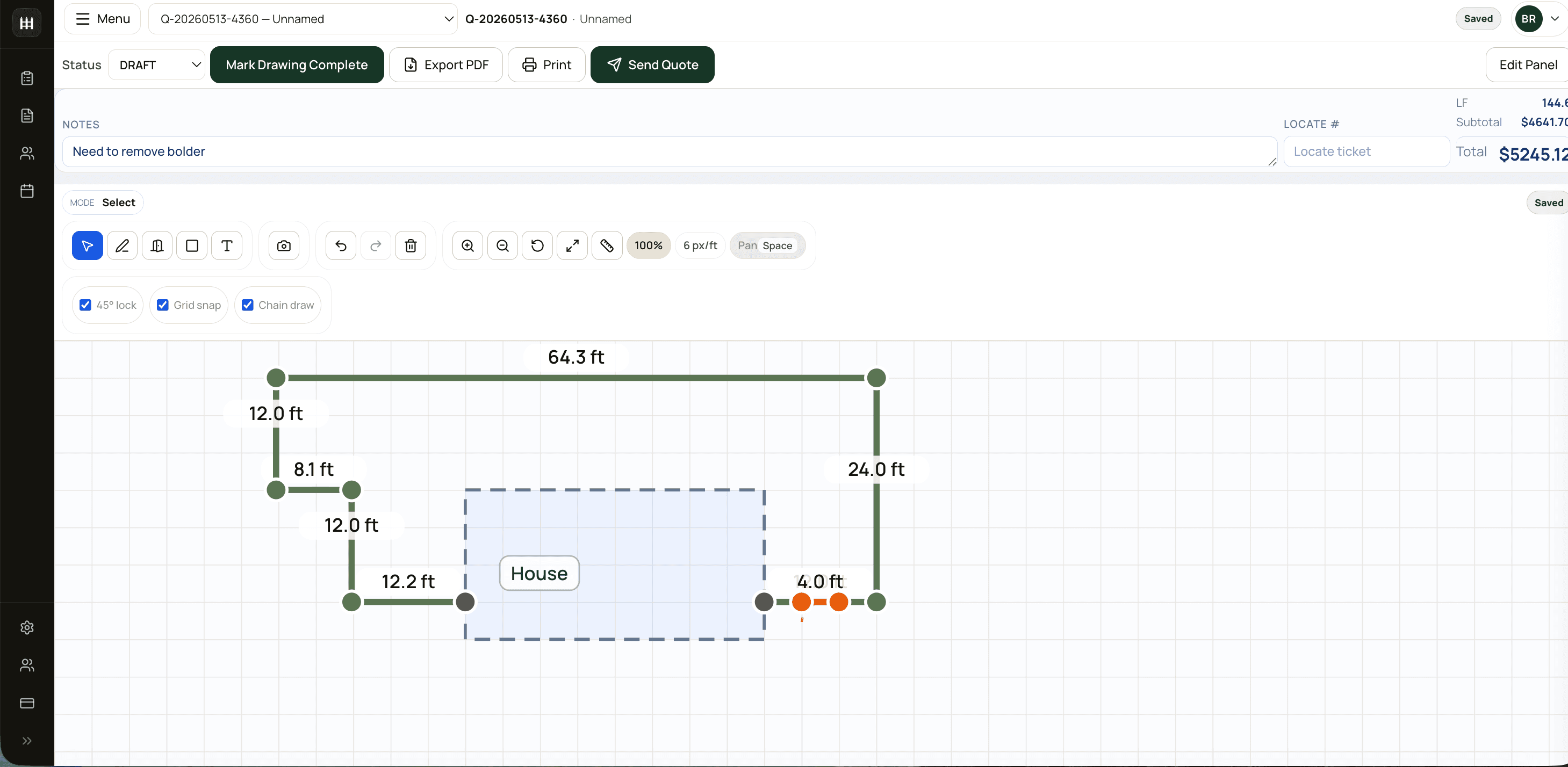
FenceTracer runs in the browser on iPad, tablet, and laptop, so the same pricebook and tax rules follow you from the site visit to the office. Draw the layout, review the takeoff, and send the quote while the customer is still standing there.
Why contractors search for fence estimating software for ipad
Most fence apps for iPad are either a mobile viewer for a desktop tool or a form that asks you to type quantities. FenceTracer keeps the drawing as the quantity source on every device: runs, corners, gates, and style changes feed fence-specific material recipes, then your catalogue prices, tax, and margin turn the same takeoff into a customer-ready PDF.
Open the estimating workspace in Safari or any modern browser — no App Store dependency for the estimator, and no local project files to sync.
Trace the runs and gates on site; every segment updates footage and quantities from the same recipes the office uses.
The pricebook and regional tax defaults live in the workspace, so a kitchen-table quote prices like an office quote.
On the Company plan, add estimators, office staff, and crew leads without per-seat pricing turning the iPad decision into a budget meeting.
Use cases
Sketch beside the customer while dimensions and style choices are still easy to confirm, then send the quote PDF before leaving.
Walk the property, draw the layout, and see the priced takeoff — no second trip back to the office computer to build the number.
Use the same catalogue and tax defaults on an iPad in the office as an estimator uses in the field.
Check quote status, pipeline value, and appointments from a tablet without being tied to a desktop.
Contractor operations workflow
Trace runs, corners, gates, and style changes directly on the iPad while measurements are fresh.
Check posts, pickets, rails, concrete, and gate hardware before the number is shared.
Apply supplier prices, tax defaults, and margin to the same quantities the office would use.
Send the branded quote PDF, then carry the accepted scope to the calendar and crew.
FAQ
Yes — FenceTracer's estimating workspace runs in a modern web browser and is designed for tablet workflows including iPad. Open it in Safari, sign in, and the same drawing, pricebook, and tax rules are available on the tablet, laptop, or desktop. The separate iOS and Android Worker app gives installer crews a focused view of assigned jobs, drawings, materials, and notes.
Yes. The FenceTracer canvas supports drawing runs, corners, gates, and style changes with touch or Apple Pencil on the iPad, and every segment updates measured footage and quantities live.
No. The same subscription works in the browser on iPad, tablet, laptop, and desktop. Solo covers 2 seats for $59 CAD/$45 USD per month; the Company plan is a flat $180 CAD/$129 USD per month with unlimited users, unlimited quotes, and the worker app for crews.
Yes. The quote PDF is generated from the same record you sketched, so you can review pricing, tax, deposits, and terms and send it from the iPad before the customer starts shopping around.
Free fence tools
Try the same takeoff rules on a real job — no account needed.
No credit card. Solo quoting is $59 CAD / $45 USD per month; the full Company plan is $180 CAD / $129 USD per month with unlimited users and quotes after the 30-day trial — 25% less on annual billing.
More fence software pages